Manage
Manage Store
Bulletins
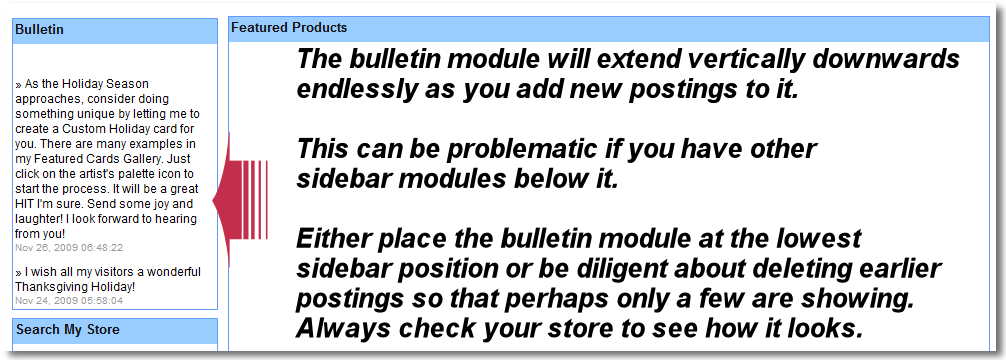
If you have enabled the Bulletin store module through Menu B3, then you will be able to post routine messages in your store to communicate with your visitors. This can be used to announce new cards, to wish them a nice holiday season, or to thank them in some way. Each new bulletin will push the earlier ones down.
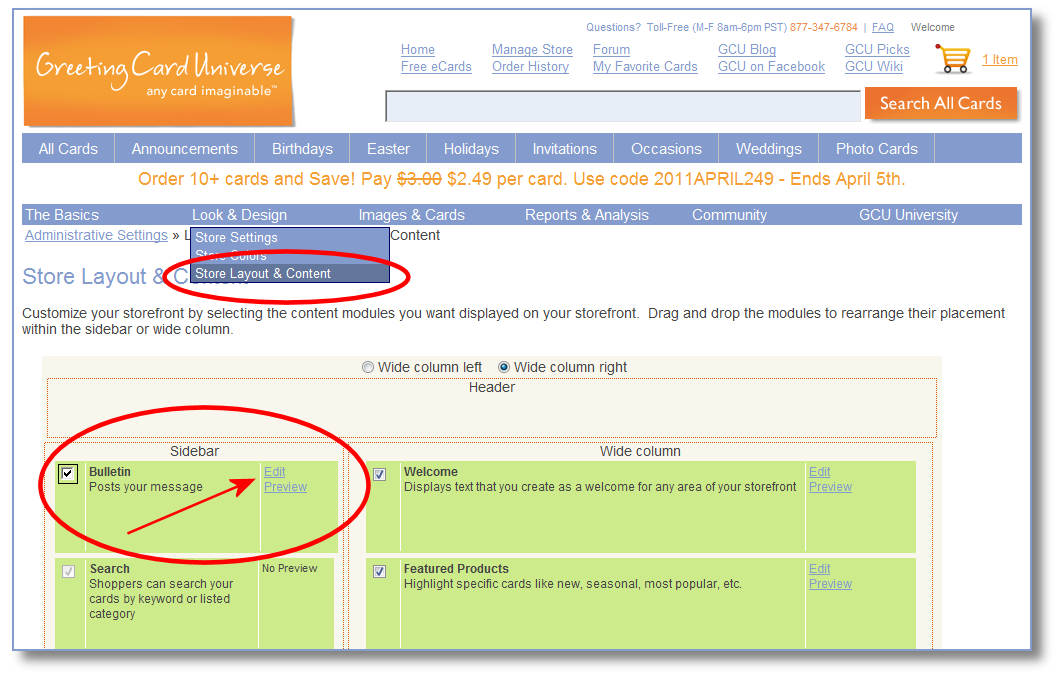
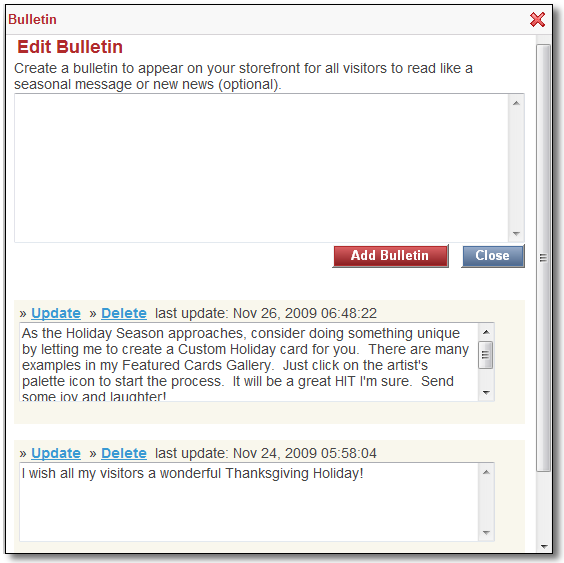
To ADD, UPDATE or DELETE individual bulletins, go to the Bulletin store module through Menu B3 and click the EDIT link. Each prior bulletin is listed and can be updated or deleted.
Congratulations! - You now have the much of the basic knowledge about being a Store Owner, now let's design some cards!
Now let's go here: Creating a Card.